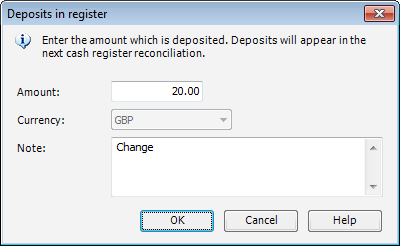
How to register a cash deposit into the cash drawer
Click on Administration.
Click on Cash Deposit.
Enter the Amount.
Enter the Currency, if needed. This field is only available if you have activated several currencies under Options, General.
Enter a description of the deposit in the Note field if you would like to give some information about the reason for this deposit.
 The withdrawal is registered under your user
ID and will show in the next End of day procedure.
The withdrawal is registered under your user
ID and will show in the next End of day procedure.
Read more about: